Controller / Xlights settings

Gerald

Apprentice elf
Joined
Jan 5, 2022
Messages
64
Hi
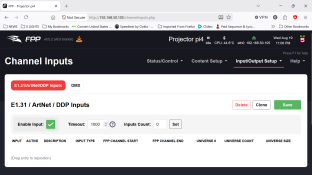
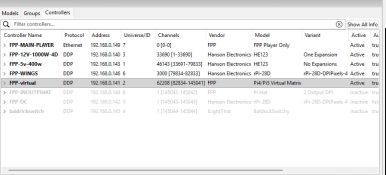
I am having some problems with my display this year as I have upgraded several controllers and one FPP running a vrtual matrix, which does not diplay sequences correctly.
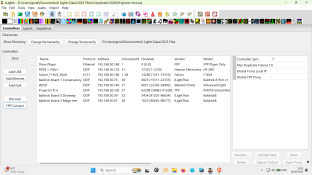
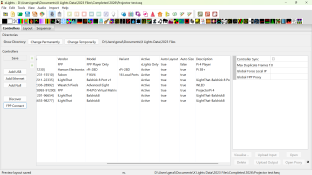
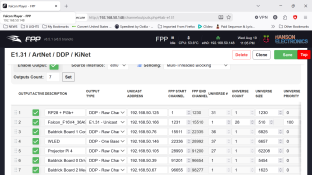
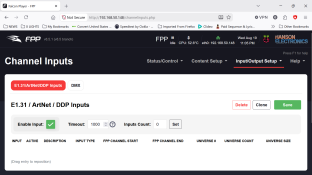
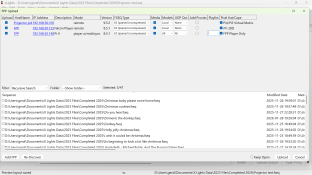
I have attatched some screenshots of my settings for info

Also what are the correct x lights settings for these controllers I.E Active or x lights only?

I also notice that the default fseq file setting is V2 ZSTD so should I select this when doing a FPP connect ? or the V2 Saparsed uncompressed as shown in the screenshots?

I would be very greatful if someone would be kind enough to take a look as my research from web material is very conflicting (which I suppose is understandable due to the age of some of the material out there)
 

Attachments

  • Screenshot (24).png
    Screenshot (24).png
    156.1 KB · Views: 15
  • Screenshot (25).png
    Screenshot (25).png
    297.4 KB · Views: 13
  • Screenshot (26).png
    Screenshot (26).png
    211.2 KB · Views: 11
  • Screenshot (27).png
    Screenshot (27).png
    291.8 KB · Views: 9
  • Screenshot (28).png
    Screenshot (28).png
    177.7 KB · Views: 9
  • Screenshot (29).png
    Screenshot (29).png
    163.4 KB · Views: 13
So there is a high-level question to ask first: for the Pi with the projector, are you expecting the data to come from the player (over DDP) during playback, or are you expecting this to have an SD card in it that stores the videos to play in sync with the sequence. The answer there changes the follow-on settings quite a bit. (I do the former so I have my matrix driver as "Active" in xLights and there's no need for FPP connect to send anything.)
 
So there is a high-level question to ask first: for the Pi with the projector, are you expecting the data to come from the player (over DDP) during playback, or are you expecting this to have an SD card in it that stores the videos to play in sync with the sequence. The answer there changes the follow-on settings quite a bit. (I do the former so I have my matrix driver as "Active" in xLights and there's no need for FPP connect to send anything.)
My setup is a stand alone pi 4 as a master player and another pi 4 which is in remote mode for the projector. I do FPP connect with fseq sequences to both pi,s
 
I also notice that when playing a sequence the master player shows on the multi sync page that it is playing but the projector pi is idle, however if i change this to uni cast and disable multi cast it does play but the picture is terrible.
I do have another pi 3b+ however that does show playing in sync when in multi cast
it leads me to some sort of setting or failure on the Pi 4 projector?
 
if multicast is not working, but unicast is, im going to gather your using wifi for connection, and your wireless access point is not passing the multicast, recommend connecting them via ethernet cables not wifi for smooth data communications
 
and MOC is correct, are you pushing DDP to the projector fpp instance or are you using FPP remote isntance with the Sequence and video stored on the projector FPP instance ? as ddp for a large matrix will crucify most wifi connections , i recommend FPP remote mode, with the sequences and video files loaded onto the FPP instance for the projector
 
Back
Top