- Joined
- Jan 8, 2026
- Messages
- 87
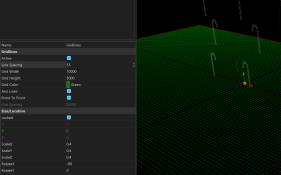
I've almost got my house into a 3D model and am going to start a layout in XLights. I know it's going to be a bit of a pain (Xlights isn't really a 3D modeling software) but given the VERY wide and deep nature of my property it just feels like it'll render better and more accurately in 3D.
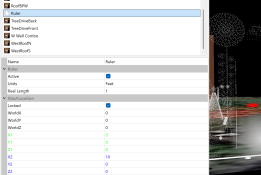
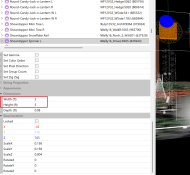
I watched a couple of YouTube tutorials of people basically saying, once you have a good house design in just make a line against something in the picture that is a known distance and then scale everything else off of that. Garage Doors or Front Doors make excellent "yard sticks" as does the height of my windows which are uniform.
Is that type of method what you all use to get reasonably accurate props or is there a better/different method to accomplish "scaled" models in XLights?
I watched a couple of YouTube tutorials of people basically saying, once you have a good house design in just make a line against something in the picture that is a known distance and then scale everything else off of that. Garage Doors or Front Doors make excellent "yard sticks" as does the height of my windows which are uniform.
Is that type of method what you all use to get reasonably accurate props or is there a better/different method to accomplish "scaled" models in XLights?