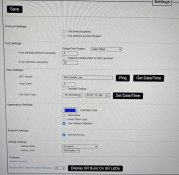
Hi everyone, I’m new to all this and could use some advice!
I did a little bit of Christmas lighting last year with a cheap controller. Since then, I’ve bought a Falcon F16V5 controller and two receivers. I’ve decided to start getting everything set up now so that, hopefully, it’s all ready to go when I put the lights up in a few weeks.
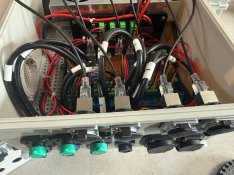
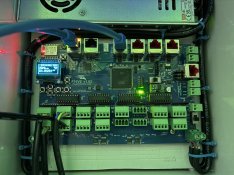
I powered up the F16V5 with a 12V power supply and connected a single strand of WS2811 lights. I put it into test mode, but nothing happened.
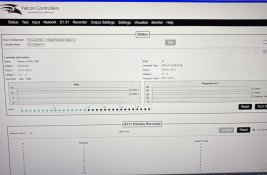
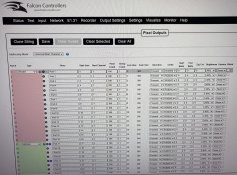
I double-checked the wiring, power supply and data. Power to the live pins but no data, then spent quite a bit of time changing settings and troubleshooting with ChatGPT, but still couldn’t get the lights to work directly from the controller.
I then connected one of the receivers, and the lights worked fine. I could turn them on and off, and when I connected it to xLights, it played a show through the receiver without any issues. However, I still can’t get the lights working when connected directly to the F16V5.
I’m using a three-wire WS2811 strand, wired as follows:
● Negative to ground
● Green wire to data
● Positive to 12V
I might have missed some important information, but I’d really appreciate any pointers on what I should check or what I might be doing wrong.
Thanks in advance for any help!
I did a little bit of Christmas lighting last year with a cheap controller. Since then, I’ve bought a Falcon F16V5 controller and two receivers. I’ve decided to start getting everything set up now so that, hopefully, it’s all ready to go when I put the lights up in a few weeks.
I powered up the F16V5 with a 12V power supply and connected a single strand of WS2811 lights. I put it into test mode, but nothing happened.
I double-checked the wiring, power supply and data. Power to the live pins but no data, then spent quite a bit of time changing settings and troubleshooting with ChatGPT, but still couldn’t get the lights to work directly from the controller.
I then connected one of the receivers, and the lights worked fine. I could turn them on and off, and when I connected it to xLights, it played a show through the receiver without any issues. However, I still can’t get the lights working when connected directly to the F16V5.
I’m using a three-wire WS2811 strand, wired as follows:
● Negative to ground
● Green wire to data
● Positive to 12V
I might have missed some important information, but I’d really appreciate any pointers on what I should check or what I might be doing wrong.
Thanks in advance for any help!