HELP! Hansen USB-DMX DONGLE with FPP

bngoofy

New elf
Joined
Jan 15, 2021
Messages
11
I really need a second set of eyes on this as I seam to be missing something and I have been struggling with this issue for a good time.

I have 3 snow blowers with 3 channels each. ID 11, 22, 33

I purchased a Hasen DMX-USB Dongle and it works perfectly on my PC.

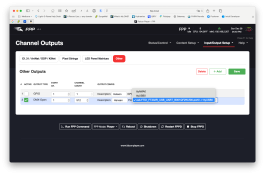
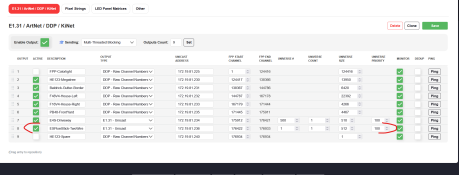
I plugged it into the Pi and in the FPP UI Output/Other I added it as shown below. No output to the snow blowers.

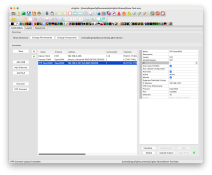
I read in a post that I needed to add a controller in xLights as FPP and upload it. Tried this and no change.

What a I missing?
 

Attachments

  • Screenshot 2025-12-28 at 4.40.26 PM.png
    Screenshot 2025-12-28 at 4.40.26 PM.png
    276.3 KB · Views: 4
  • Screenshot 2025-12-28 at 4.42.58 PM.png
    Screenshot 2025-12-28 at 4.42.58 PM.png
    298.7 KB · Views: 4
  • Screenshot 2025-12-28 at 4.46.20 PM.png
    Screenshot 2025-12-28 at 4.46.20 PM.png
    434.8 KB · Views: 4
  • Screenshot 2025-12-28 at 4.46.31 PM.png
    Screenshot 2025-12-28 at 4.46.31 PM.png
    433.1 KB · Views: 3
  • Screenshot 2025-12-28 at 4.46.40 PM.png
    Screenshot 2025-12-28 at 4.46.40 PM.png
    433.2 KB · Views: 4
Having a dongle on a Pi in FPP is actually not that easy a process in Xlights. I think that the main problem that you have is that in FPP you have the dongle starting on channel 1 and not channel 7142.
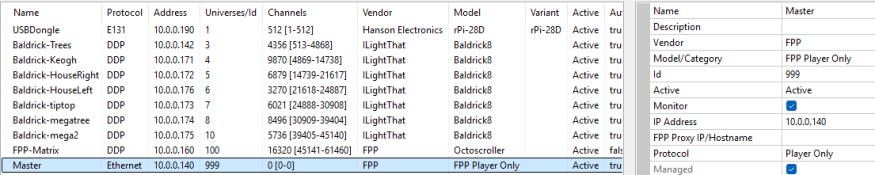
I would probably have the "dongle" setup set as an ethernet controller with DPP on the FPP IP of 192.168.2.207. Uploading the channels to the Pi would then kind of work and you would still have the dongle setup on the "other" tab.
You may be better off with the Pi configured as an FPP player only.
I have a dongle on my master player and have a fake e1.31 controller setup for it. This allows the FPP connect to upload channels to my Pi and in FPP I assign an opendmx dongle similar to what you have done. I manually turn off the e1.31 output to the controller that doesn't exist.
I'd love a better option but this is how I've managed to get it working.
1766959485130.png
 
RPI-28D+ get one of these and a PI and then you have 4 DPI outputs and DMX out without the hassle - hansonelectronics sells these, they are far more superior to the usb dmx dongle
 
I actually use a usb dmx dongle (which is no longer available) that has electrical isolation and I'll probably continue using that despite the fact that I have access to a few rpi-28d+'s and PLENTY of other boards with dmx outputs.
 
For DMX, I do something simple - it's an ESPixelStick with RS485 output. It's defined to receive 1 universe of E1.31, and map it to the DMX output.
You could exactly the same with FPP, whether it be with a USB DMX, a PiHat, or any other custom solution.
E1.31 (no DDP) is important here, because of channel numbers; you dont need to be concerned with it.
It's a manual configure within the controller (which is really easy), and then set-and-forget.

In xLights, you just use the 'serial' output for the E1.31 controller.
'You NEVER need to push from xLights. Because who cares. You dont need the models on the controller, and it's a 1 universe in to 1 universe out, the entire block of 512 channels is always allocated and sent.


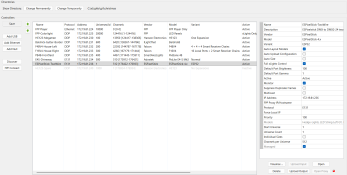
xLights config - note I am using universe 1, and the full 512ch universe is sent.
1766985480032.png


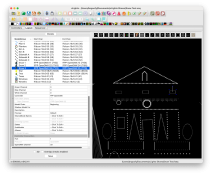
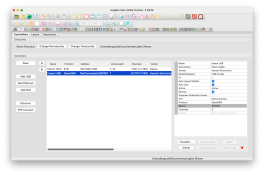
Visualiser config - my dumb string lights
1766985583428.png


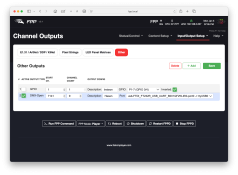
FPP Show Player - This gets its output config with the channel map from FPP Connect.
1766985615217.png


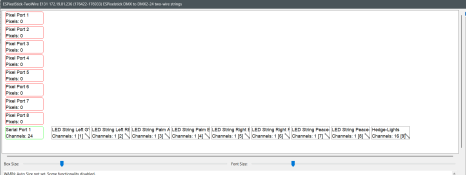
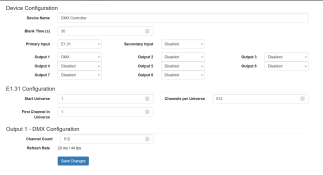
ESPixelStick config - Maps the single universe across to the physical output

1766985651841.png
 
Back
Top