Looking for help with getting a Pixlite 16 mk 2 connected to Xlights.

I wire -

Brown = Pos
Blue = Neg
Green/Yell = Data

That matches some of the pigtail colours that I have.
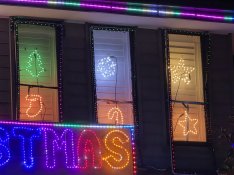
Can I please ask one more question. I got everything going but 3 of my windows sometimes stay stuck on a very dim red now. It will come unstuck by itself sometimes. But sometimes stays dimmed red and wont change at all.
Would this also be due to cabling ?
I have attached a photo for reference.
Thank you so much again for everyone's help. I wouldnt have got the show going otherwise.
 

Attachments

  • 20251209_213827.jpg
    20251209_213827.jpg
    580.5 KB · Views: 3
  • 20251209_213208.jpg
    20251209_213208.jpg
    809.2 KB · Views: 3
Hi all,

I did a very small show 5 years ago and started doing it again this year. All my props are ready and sequence is done.

Tried for about 4 days to connect my Pixlite 16 via Advatek to Xlights and I seem to be going backwards.

I ended up deleting all controllers off Xlights and re connecting the controller to Advatek using a cable static IP address.

No matter what I do, Xlights wont discover my Pixlite. Do I have to add 16 individual controllers on Xlights to control 16 different ports ?

Any help and guidance is appreciated.
Hey NZlights, I feel your pain. I was running an Advatek 16 Mk2 for the last few years and never had a successful show. Bought a new controller and everything worked within 10mins. Tried this year to use the Pixlte for a mega tree and even though I can see it in the controller tab, I cant configure it in the controller tab and the Xlights layouts won't upload. Driving me crazy. No help here, I'm sorry, just wanted to let you know you're not alone.

Have you tried setting the IP address via Advatek Assistant?
 
Hey NZlights, I feel your pain. I was running an Advatek 16 Mk2 for the last few years and never had a successful show. Bought a new controller and everything worked within 10mins. Tried this year to use the Pixlte for a mega tree and even though I can see it in the controller tab, I cant configure it in the controller tab and the Xlights layouts won't upload. Driving me crazy. No help here, I'm sorry, just wanted to let you know you're not alone.

Have you tried setting the IP address via Advatek Assistant?
Hi Aaron,

I actually ended up getting the show going again.
I ended up changing the IP address to a static and it worked.

Happy to help to the best of my availabilities if you still want to get three going :) . Send me a massage
 
Hi Aaron,

I actually ended up getting the show going again.
I ended up changing the IP address to a static and it worked.

Happy to help to the best of my availabilities if you still want to get three going :) . Send me a massage
Hi I have used Advatek Pixlite 16's for years and still use Advatech assistant to set all the pixel and universe stuff. I do all the display in xLights and set the universe to props but don't map in xLights.
 
There should be no reason for the push from xLights not to work, many people use it.
If there is a specific error your getting or config not pushing, it's something that can be looked at in zoom and then possibly developers getting involved for a fix it needed.

As @Zuseleets mentioned, Advatek Assistant needs to be closed, the computer and the controller need to be on the same subnet.
The newer Mk3 Advatek controllers don't have these limitations.

Whilst you can do all the channel and universes mapping by hand, it does become cumbersome. (And if there is a bug, doing a workaround won't ever get the problem solved if the devs don't know about it)
 
There should be no reason for the push from xLights not to work, many people use it.
If there is a specific error your getting or config not pushing, it's something that can be looked at in zoom and then possibly developers getting involved for a fix it needed.

As @Zuseleets mentioned, Advatek Assistant needs to be closed, the computer and the controller need to be on the same subnet.
The newer Mk3 Advatek controllers don't have these limitations.

Whilst you can do all the channel and universes mapping by hand, it does become cumbersome. (And if there is a bug, doing a workaround won't ever get the problem solved if the devs don't know about it)
Yeah, mine started working after I did all this. Im looking at buying a new controller for next year from same supplier. Just to keep it all the same.
 
Back
Top