Matrix not previewing anymore

Gooliez

New elf
Joined
Dec 31, 2025
Messages
33
Location
Spreyton, Tasmania
Hi guys, me again. lol

I'm not sure if it's a combination of my efforts or not, but I've had this sequence done for a while and worked fine.
I've just updated to 2026.02 and in the same day I converted all my lights from the orig picture overlay to a 3d Layout, spent over 3 hours measuring etc and making it all accurate.

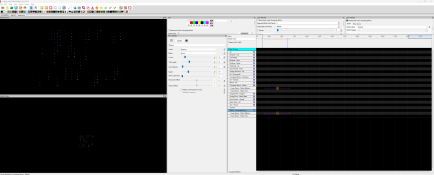
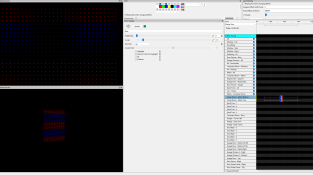
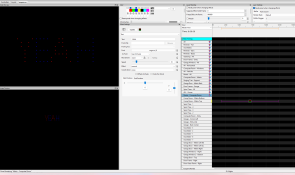
now i've loaded up a sequence to test and now the matrix isnt previewing properly, Just all scrambled. In this clip, it's just words scrolling across the matrix, but in another sequence, theres a GIF animation and it's also showing the scamble look also.

anyone else having this issue with the new update or is it something else?


View: https://imgur.com/a/8L3N4sz


Thanks
 
I would suggest installing 2026.01 and seeing if you still have matrix issues. It should still accept all the changes you made.
 
So still having issues with this.

I've gone back to previous version, no fix, latest update just came out, still broken.
I exported the model back just after I created it, so I imported the model back in and tested it. it works.

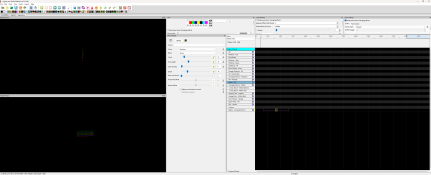
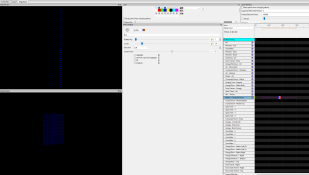
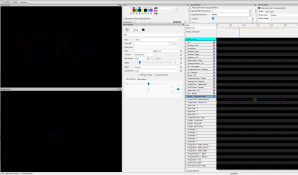
but when i right click and "replace a model with this model" (the new one) and choose the orig matrix where all the sequences are applied, it breaks and only shows a single line. ( as seen in second picture)

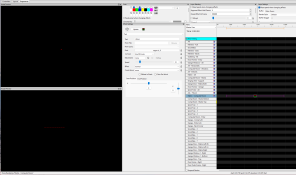
i've created a new group for the 2 matrix and if i put the effect on just 1 part of it, it works fine, but when applied to the group it breaks again.
 

Attachments

  • Screenshot 2026-02-25 094316.png
    Screenshot 2026-02-25 094316.png
    94.6 KB · Views: 4
  • Screenshot 2026-02-25 094544.png
    Screenshot 2026-02-25 094544.png
    179.6 KB · Views: 4
  • Screenshot 2026-02-25 094702.png
    Screenshot 2026-02-25 094702.png
    194.9 KB · Views: 4
Without knowing anything about 3D layouts on xlights my guess would be that what you're seeing on the house preview is due to looking sideways across the matrix rather than a front view. On the layout tab I'm guessing that there is a rotation for the prop that is out by 90 degrees.
 
yes maybe? , but still doesnt answer why in the first post it just shows the the full front view scrambling the entire screen.
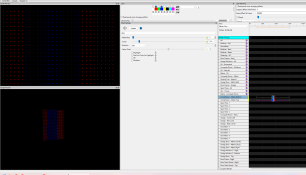
that's the preview of just a "text" saying "Yeah" and fills only about 20% of the middle of the screen scrolling across. the top and bottom part should be blank, yet it's taking up the entire matrix.. i'm completely confused
 
ok, so not just me then. hopefully you find it!
thanks
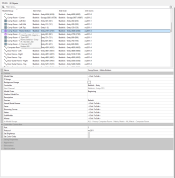
In order to potentially work out why effects aren't showing properly will need to see screenshots of the 2 matrix layouts.
Try putting bars over the entire matrix horizontally and also vertically. If they display fine and text doesn't then also paste a picture of the settings for the text. If the font size was massive for instance there would be nothing shown except possibly bars like what you are seeing.
 
In order to potentially work out why effects aren't showing properly will need to see screenshots of the 2 matrix layouts.
Try putting bars over the entire matrix horizontally and also vertically. If they display fine and text doesn't then also paste a picture of the settings for the text. If the font size was

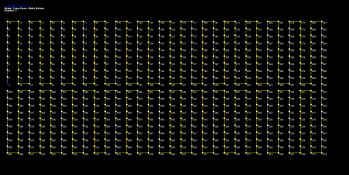
both layouts are the same as the one i attached node wise.
Individually, they work fine, but when the are grouped (in last pic) it just alternates between
, the only thing changed was the effect was moved from individual to the grouped

Video of switching

View: https://imgur.com/4AenfJX
 

Attachments

  • Screenshot 2026-02-25 140412.png
    Screenshot 2026-02-25 140412.png
    81.5 KB · Views: 1
  • Screenshot 2026-02-25 140422.png
    Screenshot 2026-02-25 140422.png
    86.3 KB · Views: 1
  • Screenshot 2026-02-25 140700.png
    Screenshot 2026-02-25 140700.png
    163.7 KB · Views: 1
  • Screenshot 2026-02-25 140729.png
    Screenshot 2026-02-25 140729.png
    193.4 KB · Views: 1
  • Screenshot 2026-02-25 140756.png
    Screenshot 2026-02-25 140756.png
    138.1 KB · Views: 1
With text. only moved the effect, no changes
 

Attachments

  • Screenshot 2026-02-25 142317.png
    Screenshot 2026-02-25 142317.png
    153.4 KB · Views: 2
  • Screenshot 2026-02-25 142324.png
    Screenshot 2026-02-25 142324.png
    135 KB · Views: 2
  • Screenshot 2026-02-25 142331.png
    Screenshot 2026-02-25 142331.png
    139.9 KB · Views: 2
Back
Top