- Joined
- Jan 8, 2026
- Messages
- 87
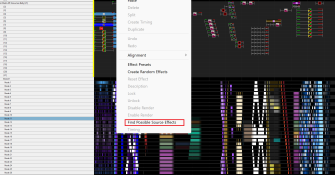
Question for the experts out there. Is there an option in xLights to see what effects are affecting a prop at any given point in time.
I have a singing face prop that I want to be separate from my "All Pixels" group (which it is on the layout), but on the Sequencer tab it keeps playing right along with the All Pixels group.
That got me to thinking, if I was in Excel I'd check the relationships function to see what was affecting the cell I was in... maybe xLights has something similar? I did do a quick check up and down the sequencer and there are no other effects active at the time, so I don't understand why this model is still running when removed from that All Pixels group.
Thanks.
I have a singing face prop that I want to be separate from my "All Pixels" group (which it is on the layout), but on the Sequencer tab it keeps playing right along with the All Pixels group.
That got me to thinking, if I was in Excel I'd check the relationships function to see what was affecting the cell I was in... maybe xLights has something similar? I did do a quick check up and down the sequencer and there are no other effects active at the time, so I don't understand why this model is still running when removed from that All Pixels group.
Thanks.