P5 Build...

OK, this is getting to be a little bit frustrating. I downloaded several versions of the software and can't even get it extracted. Apparently the compressed folders are encrypted and the password of 168 is not working.

Anybody have advice for the correct password or an uncompressed version that doesn't need a password?
 
thats there main site, there are alot of impostors out there trying to scam people out of info

otherwise try this password
buyfromcolorlit
 
Well, made a little progress today. Got the software up and running and was able to get to Intelligent Testing following the video above.

When he got to the solid line across the top, mine was actually in the lower half of the top panel, so I'm guessing some setting is off there.

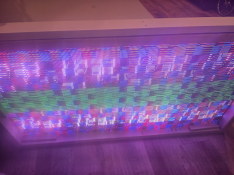
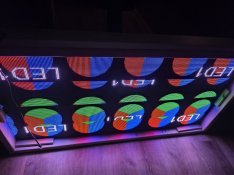
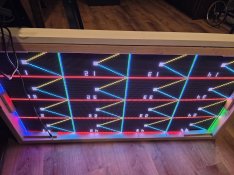
Completing the Intelligent Sensing got me to this, which is the LED Colorwheel test screen, just overlaid upon itself until you can't see anything :)

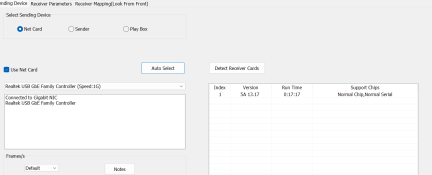
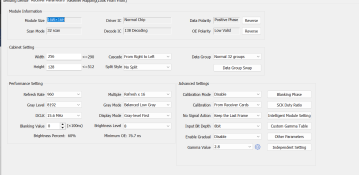
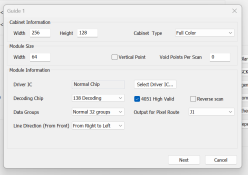
Clearly there's more to be done here... if you don't mind viewing the screen grabs below and pointing out the error in my ways. I believe in the 3rd picture, the 16x16 for the module size is incorrect (these are P5 64x32 panels), but I don't see where I can change that at.

1776963632883.png
1776963672847.png
1776963724642.png
1776963998335.png
 
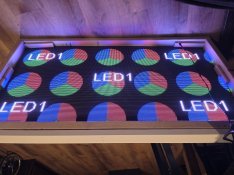
Making more progress. There's gotta be an easier way but at least things are coming into focus now.

I setup my panels according to the arrows on the back of the panels, but so far my software doesnt agree with that order.

Back to the drawing board...8417.jpg
 
So close, just upside down with a flicker. Interestingly when I unplug the CAT cable the flicker goes away completely. Perhaps it's trying to refresh the screen when no new data is being sent?

Edit: I used FPP to turn the orientation around and just have some mirroring issues now. Someone tell me there's an easy option to flip this on the Y-axis and all will be well with the world :)
 

Attachments

  • 20260425_053227.jpg
    20260425_053227.jpg
    1.6 MB · Views: 2
  • 20260425_054146.jpg
    20260425_054146.jpg
    1.2 MB · Views: 2
Last edited:
I figured. Essentially I just need to rotate each screen 180 degrees and it'll be perfect. Hopefully someone will come along soon with the setting that may fix this. I'm not really familiar with LED Vision so I'd hate to just start changing random settings.

I could physically do that, but then the arrows on the back wouldn't be pointed in the right directions.
 
Last edited:
Back
Top