

I'm having a small problem with a new Candy Cane I added to my layout and sequencer.
It's a ChromaCane 50 from boscoyostudio.
As the name suggests, it contains 50 pixels.
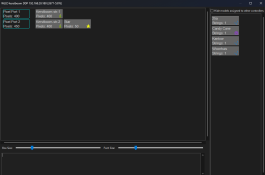
When I open my controller and click "Visualise," something strange happens.
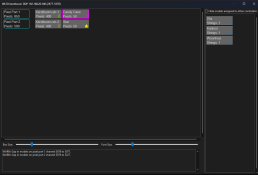
When I drag the Candy Cane to the controller port, the number of pixels should increase by 50, but instead, it increases by 600.
This then results in the following error codes:
WARN: Gap in models on pixel port 1, channel 3876 to 5077.
WARN: Gap in models on pixel port 2, channel 5076 to 5227.
What's causing this?
Could it be because I split my Mega Tree in two strings, on two different ports on my controller?
It's a ChromaCane 50 from boscoyostudio.
As the name suggests, it contains 50 pixels.
When I open my controller and click "Visualise," something strange happens.
When I drag the Candy Cane to the controller port, the number of pixels should increase by 50, but instead, it increases by 600.
This then results in the following error codes:
WARN: Gap in models on pixel port 1, channel 3876 to 5077.
WARN: Gap in models on pixel port 2, channel 5076 to 5227.
What's causing this?
Could it be because I split my Mega Tree in two strings, on two different ports on my controller?
Last edited:

